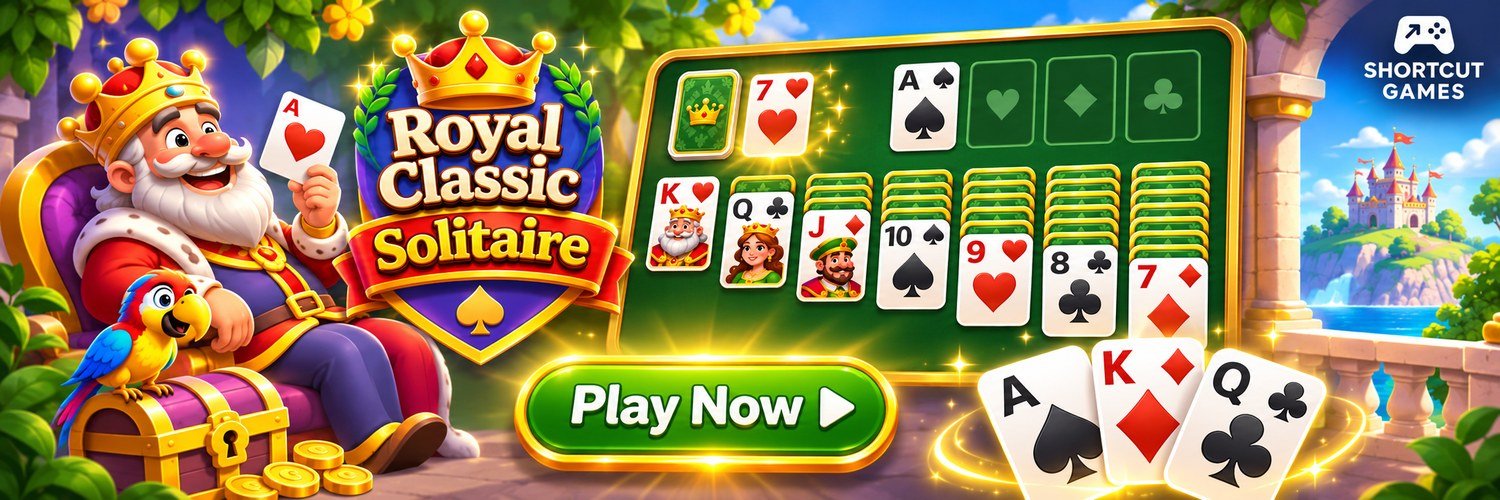
The timeless Klondike card game, reimagined in a royal world.
Welcome to Royal Classic Solitaire, an original free online Solitaire game from ShortcutGames. Take a seat beside a cheerful king, surrounded by a castle garden, golden decorations and a rich green card table. Behind the colorful royal artwork is the traditional Klondike experience: organize a shuffled deck of 52 cards, reveal hidden cards and build four foundations from Ace to King. Whether you are learning Solitaire for the first time or returning to a familiar favorite, you can enjoy a complete single-player card game directly in your browser.
Choose the relaxed Draw 1 mode or tackle the more demanding Draw 3 mode. Watch the cards glide into place, discover hidden cards with flip animations and celebrate progress with golden visual effects. A move counter, timer and scoring system let you compare your performance from one deal to the next. You can use Undo to rethink a decision, ask for a limited hint when you get stuck, or start a fresh deal whenever you want.
The goal is to transfer every card to one of four foundation piles, one for each suit: spades, hearts, diamonds and clubs. Each foundation begins with an Ace and grows in order through the King. You win only when all four foundations contain 13 cards each.
At the beginning of a classic Klondike deal, 28 cards are arranged in seven columns called the tableau. The first column has one card, the second has two, and so on until the seventh column has seven cards. Only the top card of each initial column is face up. The other 24 cards form the stock pile, which supplies additional cards as you play.
Draw 1 Solitaire reveals one card from the stock at a time. This gives you more immediate access to the deck and is a good way to learn the rules. It also makes it easier to experiment with different tableau moves without constantly tracking groups of three cards.
Draw 3 Solitaire reveals up to three cards at once, but only the top waste card can be played. Removing that card may expose another useful card beneath it. The order of the stock matters more in this mode, especially when cycling through the deck again. Choose Draw 3 if you already know Klondike and want a more demanding card puzzle. Changing the active draw mode starts a new deal after confirmation.
Royal Classic Solitaire tracks time, moves and points. Revealing a hidden card awards five points, and moving a card to a foundation awards ten. The best score gives you a personal target rather than an online competition. The game also saves progress locally, subject to browser storage settings, so you may be able to resume a deal later.
Royal Classic Solitaire keeps the familiar rules of traditional Solitaire while presenting them in a distinctive royal setting. The smiling king, parrot, treasure chest and castle scenery create a colorful backdrop without replacing the actual card game with unrelated challenges. The custom card faces use recognizable suit symbols, readable ranks and illustrated court characters. Animated dealing, card movement and golden effects make successful moves feel rewarding while preserving the simple objective of Klondike.
The game was developed as an original ShortcutGames title using Godot rather than embedded from a third-party game distributor. It is designed for short sessions or longer puzzles at your own pace, with both beginner-friendly and more challenging draw modes. Unlike competitive card games, there are no opponents to defeat: the challenge comes from your decisions, the shuffled deck and the available moves.
You can play without installing a dedicated application. Use a modern desktop browser with WebGL support, or try the game in landscape on a compatible phone or tablet. The fullscreen button expands the playing area where the browser supports it. Performance and local saving depend on device capabilities, browser permissions and available memory.
If you enjoy traditional patience games, logical challenges or casual card puzzles, explore more free online card games, puzzle games and ShortcutGames Originals. You can also browse all games for something different.
Yes. Royal Classic Solitaire is designed to be played for free directly on ShortcutGames, without buying or installing a separate game.
It is Klondike Solitaire, the traditional single-player card game with seven tableau columns, a stock pile and four suit foundations.
Draw 1 turns over one stock card at a time. Draw 3 turns over up to three cards at a time, with only the top waste card available to move. Draw 3 requires more planning around stock order.
Move all 52 cards to the four foundations in ascending order from Ace to King, keeping each foundation in a single suit.
The game supports touch input and is designed for a landscape layout. Rotate your device sideways for larger cards. A modern browser with WebGL support is required.
Yes. Undo reverses a previous action. Hint highlights a suggested move or the stock pile, with three hints available per deal.
The game saves the current deal and records locally. On the web, continuing a saved game depends on your browser allowing persistent storage. Clearing site data may remove your progress.
No. Random Klondike deals are not guaranteed to be solvable. If you cannot find a useful move, try Undo, another stock pass, or a new game.
Royal Classic Solitaire is an original ShortcutGames browser game built using the Godot game engine.
Yes. The browser version loads the game files directly in your browser. You do not need a separate app or installer.