One-Button Driving Games
Explore all games ↗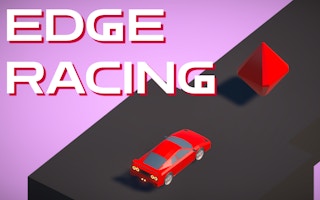

How a single control changes the drive
In one-button driving games, the car keeps you busy with a single action. In one game a tap changes the direction, while another uses the input to begin a drift or adjust the car’s speed. When two games both show a car on a narrow road, look at what the button actually changes before taking the first turn. It tells you whether you need to watch the next corner, the angle of the car, or an obstacle coming around a loop.
These games reward different timing despite having little to learn at the start. A player who knows exactly when to hit the turn in one game can still miss an easy obstacle in another. Take the first few attempts to read what happens after an input and how long the car takes to respond.
Choose what the button does
Start with a game where you can identify what went wrong after a miss. If turning feels natural, compare it with drifting or speed control and see which gives you a better chance to practice a repeatable movement.
Tap to switch direction on a narrow track
In Edge Racing, a tap switches direction. Look for the next bend as soon as you make a turn so you have time to judge when to switch again. The route speeds up as you survive. If you keep running off the side at the same kind of turn, look at where the car starts moving across the track relative to the corner. Adjust your timing a little on the next run.
Start a drift through a bend
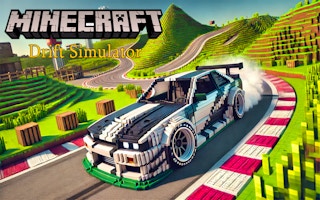
Minecraft Drift Simulator uses taps, clicks or Space to drift. The game puts money along the route for upgrades and other cars. Before pulling toward a pickup, compare where you are with the shape of the turn behind it. Give yourself enough time to line up the drift through the bend. You will have more chances to collect money if you can keep the run going.
Change speed as the loop comes around
Circle Drive keeps the car on a loop and uses taps to adjust the speed. Look along the path for the next obstacle instead of treating the nearest coins as the only target. Make an adjustment while you can still judge how it will change the point where the car meets an obstacle. Repeated trips around the loop give you a chance to notice where a pattern is becoming familiar.
Learn the rhythm before chasing a record
Watch one part of each run that you can repeat. In a turn game, pay attention to where the car is when you press. In a speed game, see what distance the car covers by the time you need to react again. Practicing those details gives you a reference when the next obstacle arrives faster.
Explore Car Drift Games for more ways to practice a slide through a bend. The main Car Games page also has racing, parking and full-control driving games.
Practice a lap without aiming for every coin. Once you know how the obstacles repeat, try adding one pickup at a time. When a detour changes the timing for the next obstacle, return to the route you can repeat and look for a better approach.
Frequently asked questions
Which game changes the car’s direction with a tap?
Edge Racing switches the direction at each input. Watch the next corner and time the switch to stay on the track.
Can I drift with Space on desktop?
Minecraft Drift Simulator supports Space, as well as a click or tap, for its drift action.
Does the tap steer the car in Circle Drive?
The tap adjusts speed while the car follows a loop. Use your timing to avoid obstacles and collect coins.
What should I practice when Edge Racing speeds up?
Look ahead at the next bend as soon as your current turn starts, and adjust the turn timing instead of pressing repeatedly.
What are the pickups for in Minecraft Drift Simulator?
You can collect money while you drift and use it for upgrades and additional cars.