
Local Co-op Parkour Games
Explore all games ↗

Parkour games built around a shared finish
Local co-op parkour games put more than one character into an obstacle course and ask the players to work together. Each person controls part of the team. Clearing a jump with your own character is only half the job if someone else is still on the wrong side of it. That changes what counts as a useful move. Waiting on a safe platform can give another player the room or time to get across.
A shared keyboard works best when everyone knows their own controls before the group begins moving. Use a safe spot near the start to check each character’s movement. Agree on who leads when the route narrows. When instructions are short and everyone is looking at the same hazard, it is easier to plan the next move together.
Choose a course for the group you have
Start with a small team if you want to practice communicating through the tricky parts. Use the larger local game when everyone has enough space at the keyboard to reach their controls.
Guide two characters across blocky courses
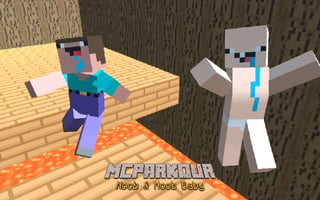
MCParkour Noob & Noob Baby gives two players a set of platforms and hazards to cross. Check that both characters have a place to land before jumping into the next section. If one player is already safe, they can watch the path and help call the timing for the second player. The game’s instructions describe arrow keys, WASD and Space, so try the mapping before you reach a hazard.
Get the whole team to the exit
Stickman Party Parkour makes getting the team to the exit the objective. The arrow keys and WASD are used for movement. If both players keep falling at the same place, send one character through first so the other can watch the route. Keep the lead character in a safe position while the second makes the jump.
Assign four sets of controls before starting
Party Stickman 4 Player supports up to four people and has 15 levels. Red uses the arrow keys and blue uses WASD. Pink uses Y, G, H and J, while green uses 5, 1, 2 and 3. Check which player controls which color before an attempt. Reaching a safe spot only helps the group if the other characters can reach it too, since everyone has to survive for the level to advance.
In this game, you move the characters in two pairs. Get the first pair to the door, then use the in-game button to switch to the other pair. Pick up the boxes that correspond to each character’s color along the way. When you know the route from the first pair, tell the next players where the dangerous drop and the safe landing are.
Get unstuck when one player keeps missing a jump
Pick a visible point where each player should jump, such as a platform edge. Then agree on a position where the first player can wait. If taking turns fixes the problem, stick with that order until the next open stretch. On a busy keyboard it also gives each person a chance to reset their hands for the next jump.
For solo timing practice, try One-Button Platformer Games. Browse Action Games for more obstacle courses and arcade challenges.
Frequently asked questions
Can four people play on one keyboard?
Party Stickman 4 Player gives four characters separate key sets. Agree on your colors and make sure everyone can comfortably reach their keys.
Which game has two characters to work through the course together?
MCParkour Noob & Noob Baby offers a two-player course where you guide both characters across obstacles.
Can I clear Party Stickman 4 Player by getting just one character through?
The game requires the team to survive. Keep the lead character safe while the rest clear the obstacle.
What is a good way to handle a narrow jump with a partner?
Send one character through first. Have them wait where the second player can use the same route.
Which game makes reaching the exit a team objective?
Stickman Party Parkour asks you to bring all four characters to the door in two pairs. Switch pairs using the in-game button.