
Draw the Road Games
Explore all games ↗
Draw a path that can carry the car
In a draw the road game, the line you sketch becomes part of the car’s route. A drawing that reaches across the screen can still make a poor road if the vehicle cannot get onto it or the other end stops short of the landing. Look at the space near the car first. Then trace the route toward the finish and decide where your line needs to span a gap, climb to a ledge or skirt an obstruction.
Try drawing the shortest useful section to see how the car reacts. A steady slope gives you a better starting point for learning than several sharp turns in the same stretch. If you need to change height, give the vehicle some distance to make that transition. If the car reaches the far side but stops there, look at the join between the line and the ground.
Pick a game for the route you want to make
Each game uses drawing in a slightly different situation. Choose a path puzzle for repeated attempts at one kind of task, or pick the collection that mixes bridge drawing with parking.
Sketch a crossing over uneven ground
Draw Road for Car lets you build a route with a mouse or touchscreen. You can use the line to span awkward sections and guide the vehicle to the finish. Look at where the vehicle's wheels will meet the line. If it struggles at the start, redraw that portion before spending time changing a bridge farther along the course.
On a high ledge, leave room for the vehicle to reach the top before the line changes direction. If the line ends immediately after the climb, the car may reach the ledge with the wrong angle for the next section. Draw a short overlap where there is safe space to do so.
Work out which part of your road caused the miss
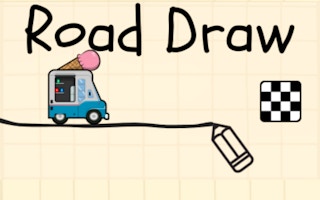
In Road Draw, make a path for the car across each layout. Watch where it begins losing speed or turning off the line. The place where it finally stops can be several moments after the part of the drawing that started the problem. Smooth the first difficult segment and compare the next attempt with the original.
Select Draw Bridge instead of Parking Jam 2D
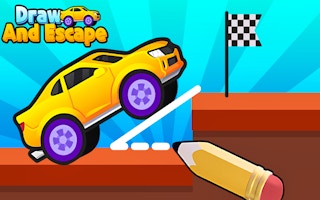
Car Games Draw and Escape has two different kinds of car puzzle. In Draw Bridge, click or tap to sketch routes. In Parking Jam 2D, drag the vehicles to clear the layout. Pick Draw Bridge when you want to test a road you made. Pick the parking mode if you want to solve which car should move first.
Test the bridge from the point where the car starts. A crossing that looks level in the middle still needs an entry and an exit the car can use.
How to make a useful second sketch
If a drawing worked for the first half, keep the part you understood. Change the angle where the car slowed, the crossing over the gap, or the line just before the landing. Changing one part at a time makes it easier to see where the route improved.
For similar puzzles where a line protects a character instead of carrying a car, try Draw to Save Puzzle Games. Find more vehicle order challenges in Parking Puzzle Games.
Frequently asked questions
What is the goal in a draw the road game?
Make a path the vehicle can use to reach the finish, including over gaps or around obstacles.
Which games let me draw a bridge?
Try Draw Road for Car or choose Draw Bridge in Car Games Draw and Escape.
What should I change if the car cannot climb onto the line?
Check the start of the line. Try a smaller change in height and give the car an easier angle at the point where it first reaches your drawing.
Which controls does Draw Road for Car use?
Use a mouse or touchscreen to sketch the route.
Why are cars moving when I drag them instead of drawing a line?
Check the selected mode in Car Games Draw and Escape. Parking Jam 2D uses dragging, while Draw Bridge uses drawing.